DeskPixel Documentation
Getting started
How your team works together
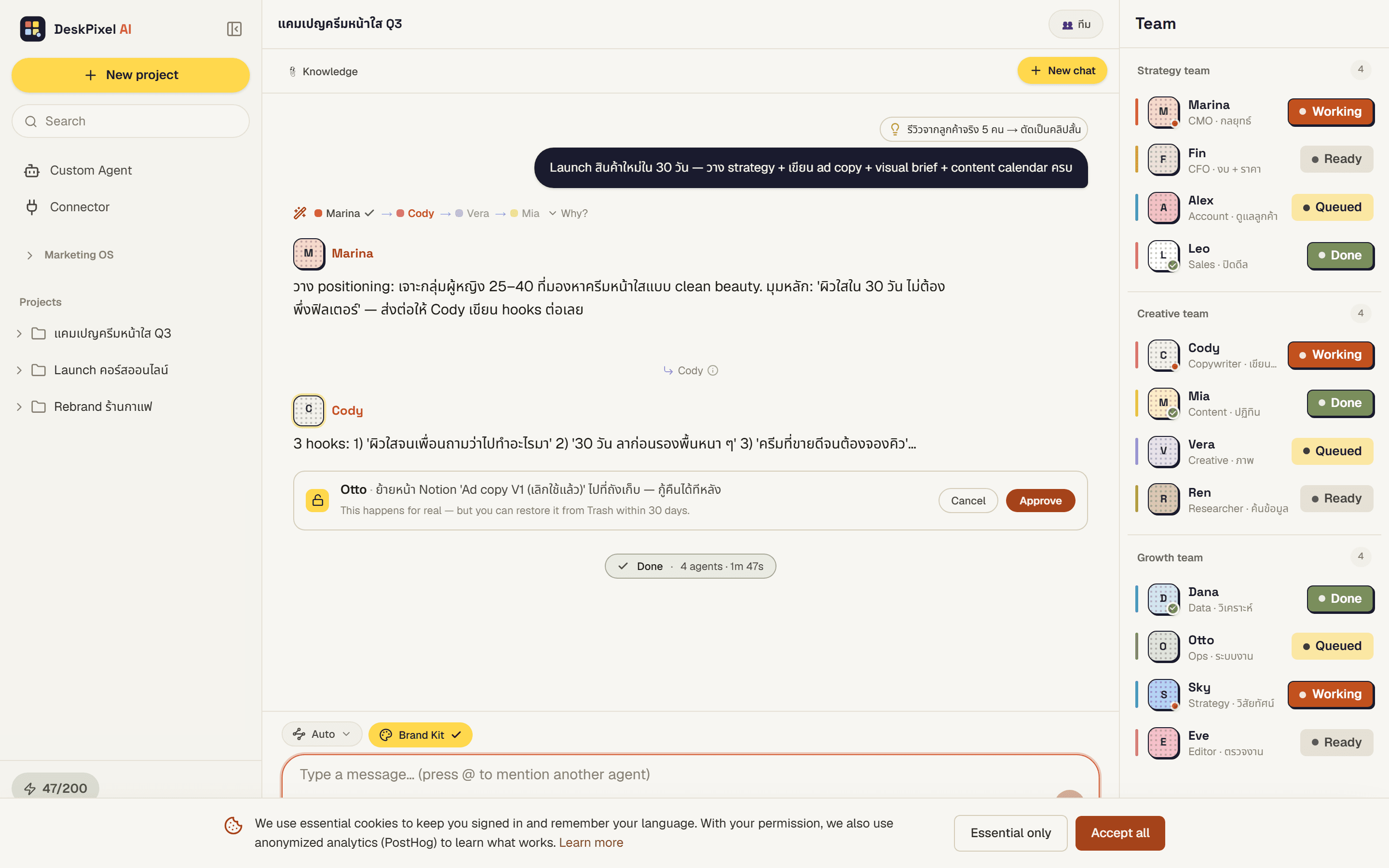
Maya the router, automatic handoffs, and approval cards — the orchestration behind every chat.
Most AI tools give you one chatbot. DeskPixel gives you a team, and the thing that makes them feel like a real team is orchestration: the behind-the-scenes system that picks the right specialists, lets them hand work to each other, and keeps you in control. Here's what happens every time you send a message.
Maya, the router
When you type a goal, an invisible router named Maya reads it and decides which specialists should handle it. You never chat with Maya directly. You just see a short "Routing to your team…" line, then the chosen agents start working. Maya is infrastructure, not one of your 16 agents.
Handoffs
A real marketing task rarely belongs to one person. So when an agent finishes its part, it can hand off to a teammate. A strategist might pass a plan to a copywriter, who passes copy to an editor. You'll see a small transition note each time. To keep things fast and predictable, a single request is capped at a handful of handoffs before the team wraps up.
Approvals
Agents can use connected tools, like saving to Notion or sending a message to a channel. Anything that leaves DeskPixel pauses for an approval card first. The team can draft and prepare freely, but the moment something would be sent or published, it waits for your tap.
What counts as one job
DeskPixel bills by the orchestration: one goal you send, however many agents it takes to finish. Greetings and small talk don't count. That's why "one clear goal per message" is the habit that both routes better and uses your quota efficiently.
The three modes
- Auto-Route — you type, Maya decides. The default, and right about 80% of the time.
- @mention — you name one agent and skip the router. The only way to reach custom agents.
- Team mode — you pre-pick a group, and Maya can only choose from it.
Want the practical side?
See Choosing the right mode and Meet your team.
Requirements
Orchestration powers every plan. Higher tiers just unlock more agents and a larger monthly allowance.