DeskPixel Documentation
Connect & settings
Managing your subscription
Upgrade, downgrade, cancel, update payment, and what happens when your quota runs out.
DeskPixel is a monthly subscription with four plans. Here's how to change plans, update payment, cancel, and what happens when you hit your monthly limit.
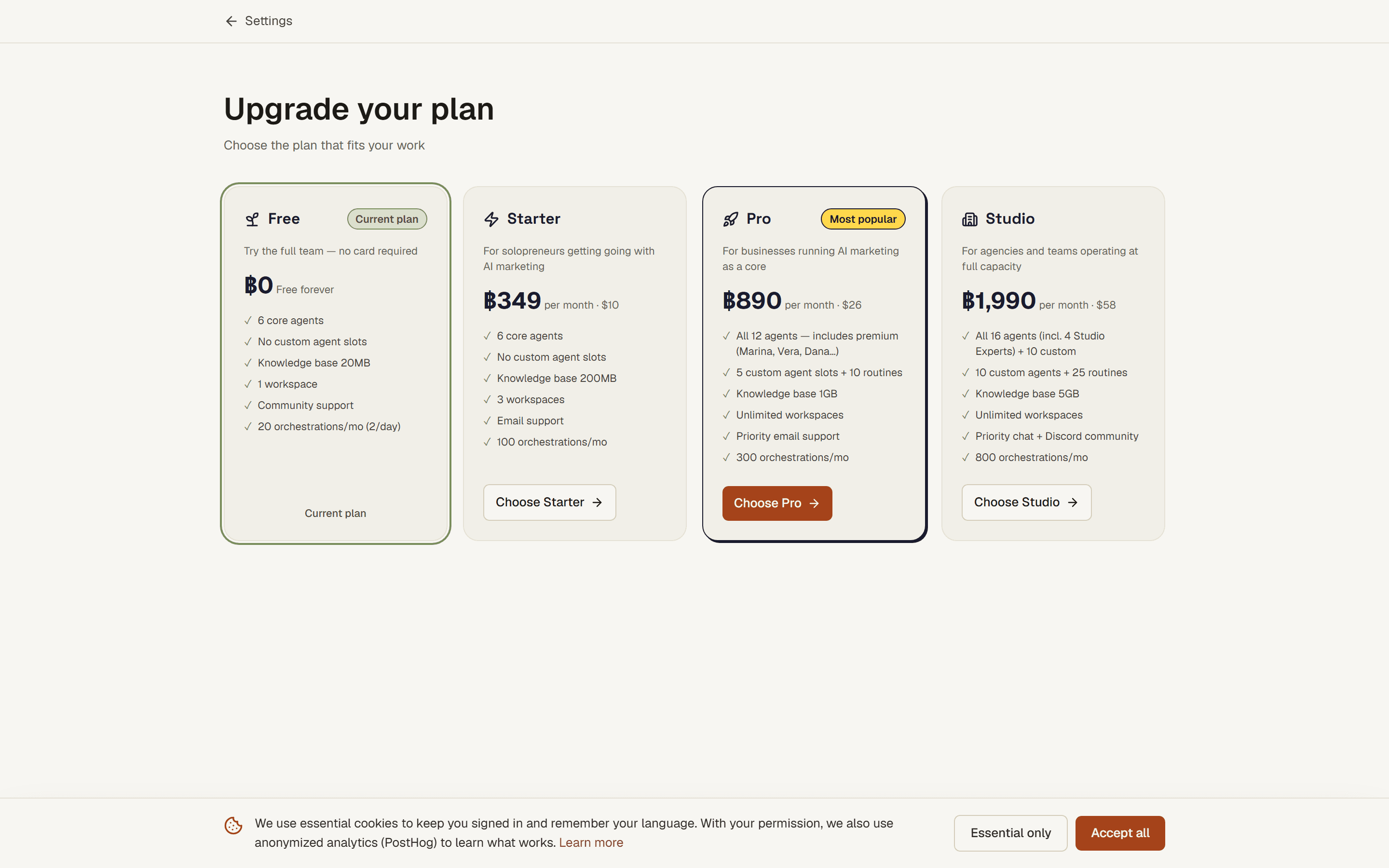
Changing your plan
Open Upgrade from the app to compare the four plans side by side (Free, Starter, Pro, and Studio) and pick the one that fits. Upgrading takes effect right away, so you immediately get the higher allowance and any newly unlocked agents.
Payment & billing portal
Payments are handled securely by Stripe. From Settings you can open the billing portal to update your card, see invoices, and switch or cancel your plan. You never enter card details into DeskPixel itself.
When your quota runs out
Each plan includes a set number of orchestrations per month. When you reach the limit, the team pauses new work until your quota resets at the start of your next billing cycle, or you upgrade for a larger allowance. Greetings and small talk don't count against the limit; only real specialist work does. See Plans, quota & upgrading for the per-plan numbers.
Cancelling
You can cancel anytime from the billing portal. You keep your current plan's features until the end of the period you've already paid for, then move to Free. Your projects, brand kit, and saved work stay put.
Tips & tricks
- Upgrade mid-month if you run dry. The larger allowance applies immediately, not next cycle.
- Downgrade before renewal, not after. A move to a lower plan takes effect at the next cycle.
Requirements
Everyone has a plan, Free by default. Paid plans unlock more agents, more orchestrations, tools, and routines.