DeskPixel Documentation
Marketing OS
Marketing OS Home
Your cockpit: this week's work, what's waiting on you, and what the team just did.
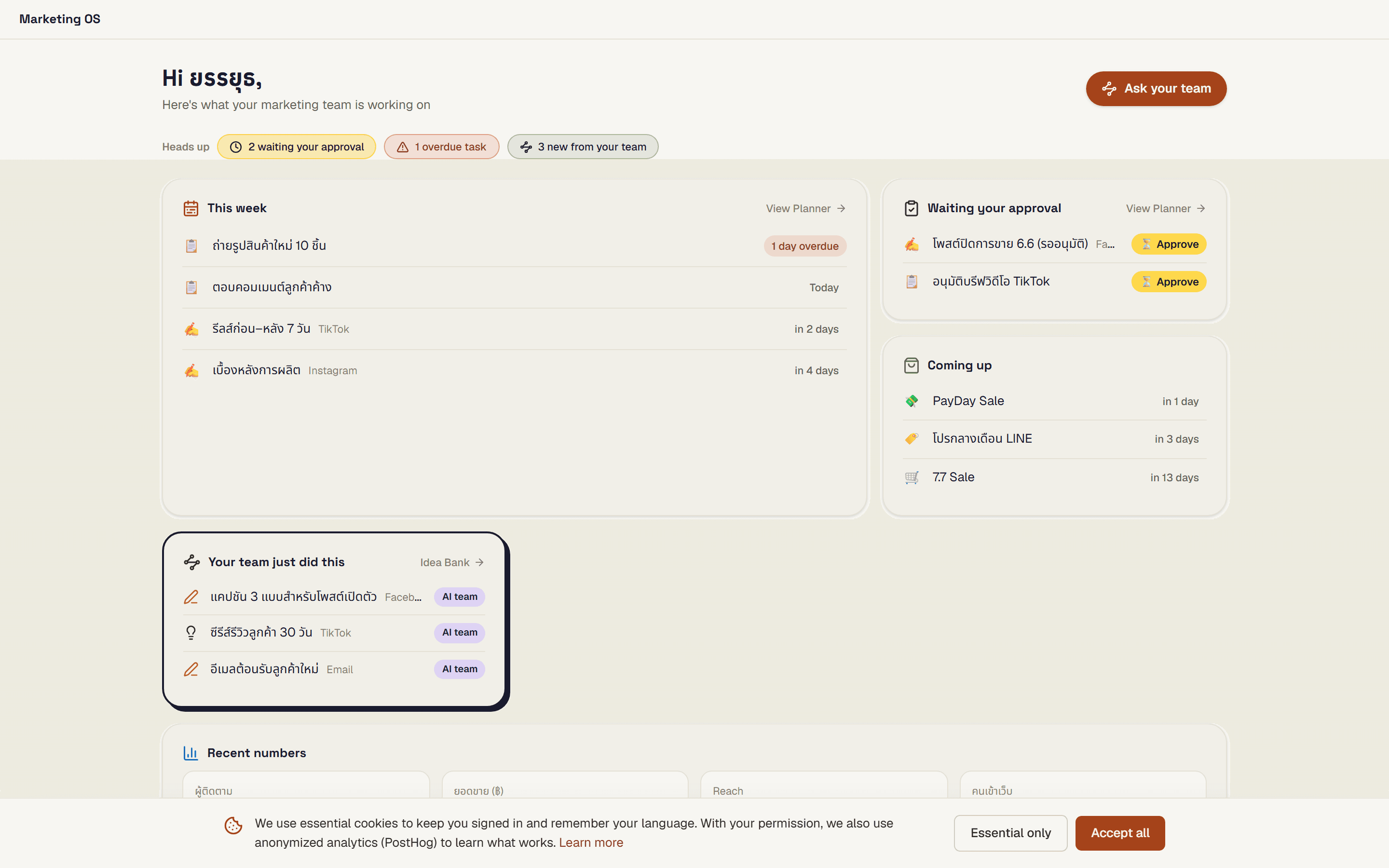
Marketing OS Home, the "Today" view, is your cockpit. It pulls together everything that matters right now: this week's work, what's waiting on your approval, what's coming up, what the team just did, and a quick spot to log recent numbers.
Where to find it
Home is the "Today" view of your Marketing OS. It's the first place to land when you want a read on where things stand.
What you'll see
Everything is laid out so you can glance and act:
- This week's work, so you know what the team is on right now.
- Waiting on your approval: anything that needs your sign-off before it moves.
- Coming up: what's next on the schedule.
- What the team just did, so you can see progress at a glance.
- A place to log recent numbers: drop in the results that matter.
There's also an "Ask your team" button that jumps you straight into chat.
Tips
- Start your day on Home to see approvals and upcoming work in one pass.
- Clear anything waiting on your approval first, so the team isn't blocked.
- Spot something you want to act on? Hit "Ask your team" and it takes you right into chat.
Requirements
Available on every plan.